Run your first online RPG session, step by step
Playing a tabletop RPG remotely is not complicated: you need a virtual tabletop, a map, character sheets and a way to roll dice together. This guide walks you through everything from creating the table to the first dice roll, with Mystria. Allow about half an hour of prep for a first session.
Before you start: what you need
- A Game Master account. Only the GM creates an account. Signing up is free; confirm your email address, as this is required to create a table.
- A recent browser, ideally on a computer for the GM. There is nothing to install.
- A short adventure. For a first online game, aim for a two-to-three-hour one-shot: an encounter, some exploration and a fight are plenty.
- One or two maps in JPG, PNG or WebP format (20 MB max per image). A dungeon or tavern map from your sourcebook will do just fine, as long as you have the right to use it.
1. Create the table
From your dashboard, create a new session. Mystria asks you for:
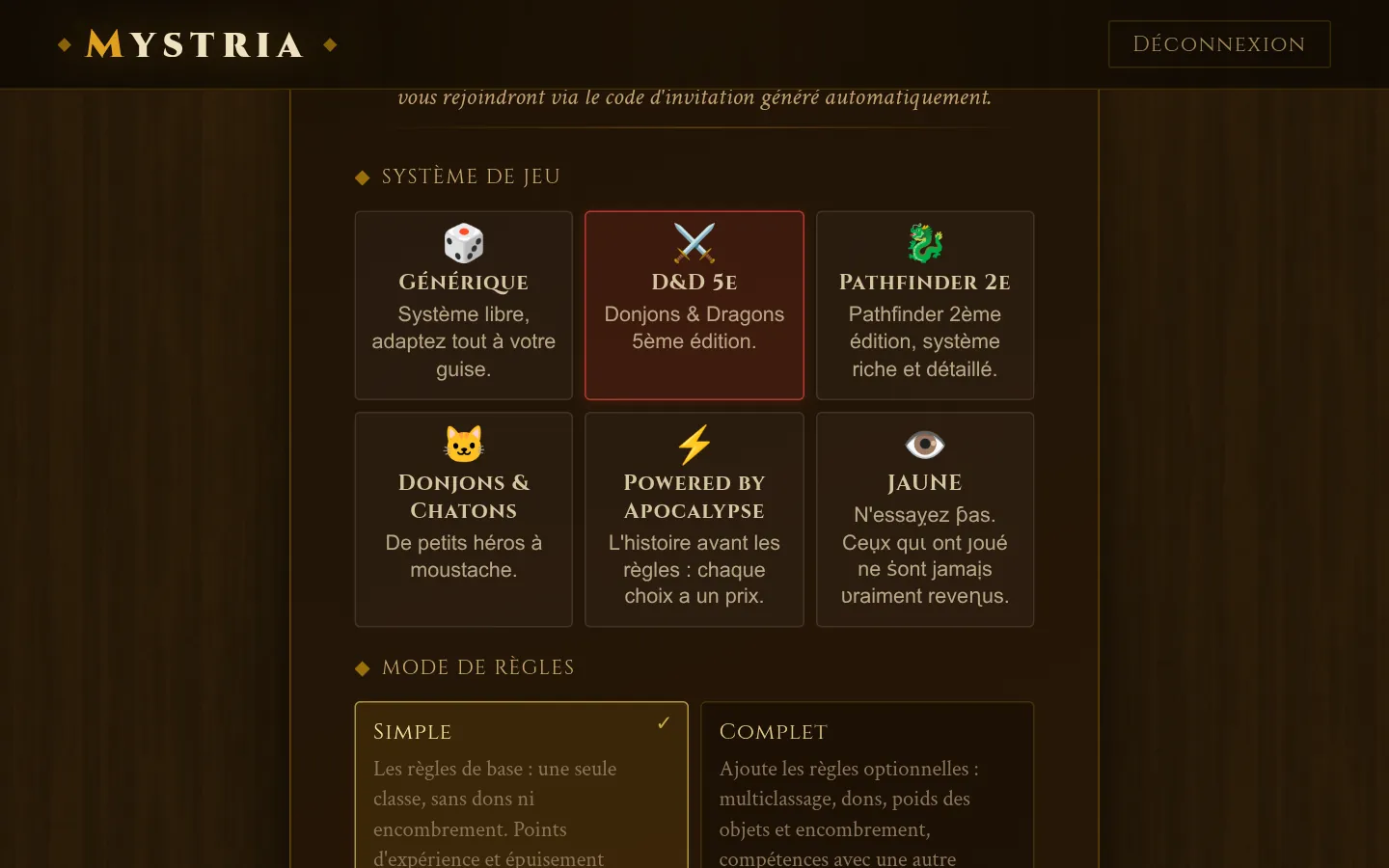
- The game system: D&D 5e (SRD 5.1 rules), Pathfinder 2e, Donjons & Chatons, Powered by the Apocalypse, Yellow, or a generic system where you define your own attributes.
- The rules mode, for D&D 5e: Simple to stick to the essentials, Full for complete character sheet detail.
- The session name (the "Generate" button suggests one if you're short on ideas) and an optional description.
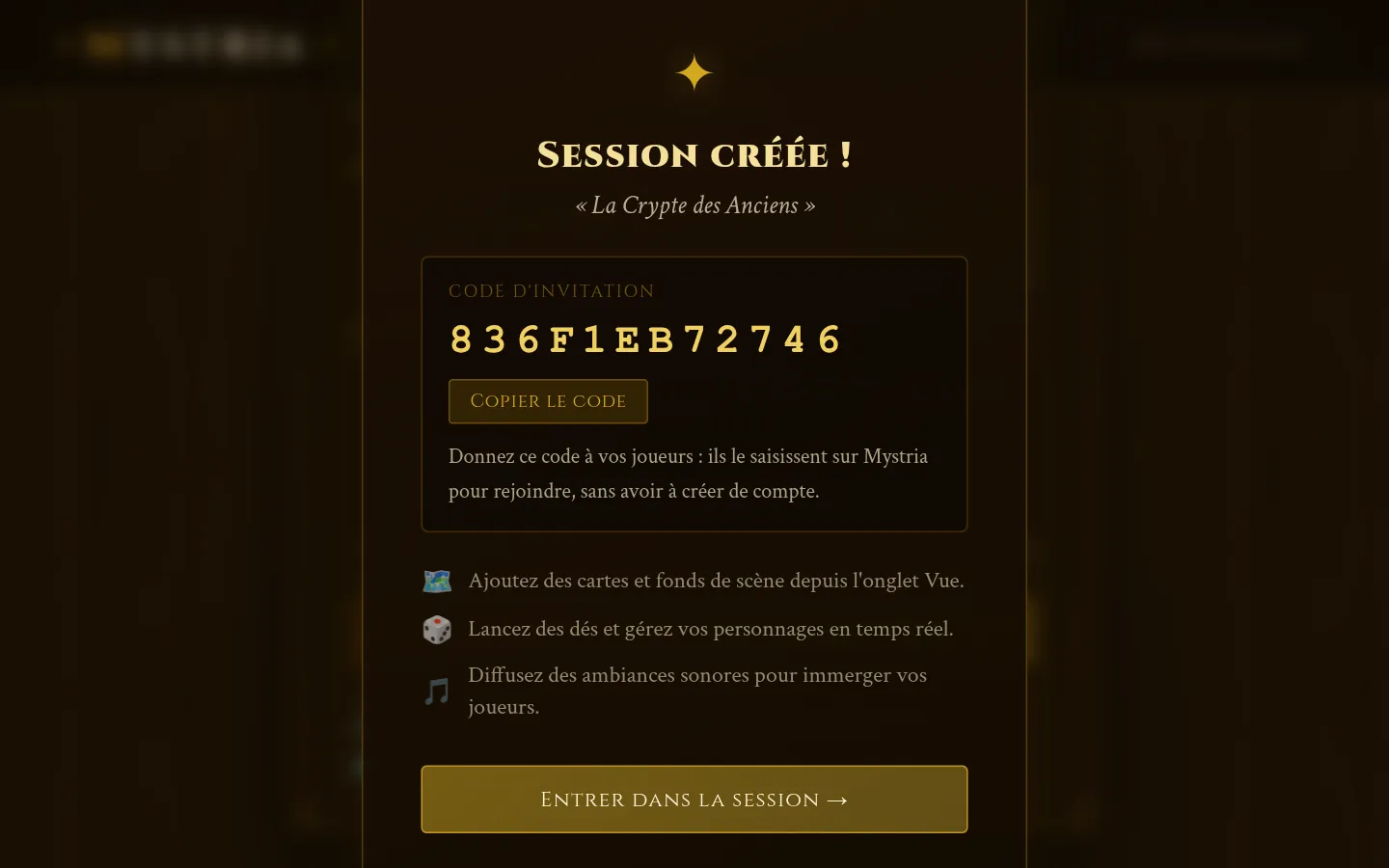
The session is created along with its invitation code. The free plan gives you two active tables and up to four players per table, which is plenty to get started.
2. Prepare the session
Session settings are organized into tabs. For a first game, three are enough.
Characters
In the Characters tab, create the NPCs you'll need (the innkeeper, the goblin chief…). You can also prepare the player characters in advance: this is very handy with beginners, who just pick theirs when they arrive.
Maps
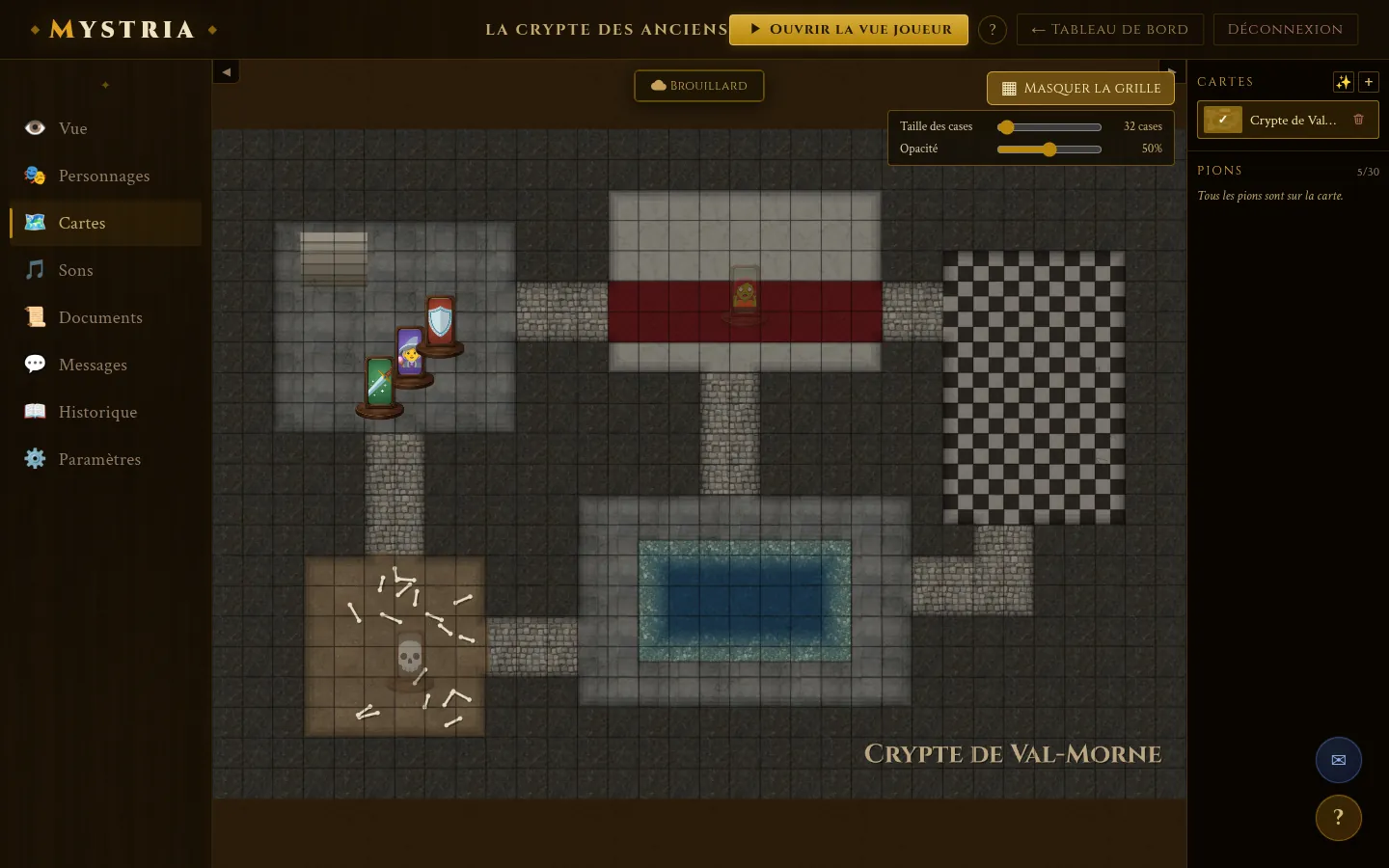
In the Maps tab, upload your map and adjust the grid so that one grid square matches one square on your map. Place the enemy tokens. If you want to hide part of the map, turn on the fog: you'll reveal the rooms as the party explores (it's all explained in the fog of war and walls guide).
Atmosphere
The Sounds tab holds your music and ambient sounds. During play, you can also paste a YouTube link and broadcast it to the whole table. Calm music for the inn, something else for combat: it's the detail that makes all the difference when playing remotely.
3. Invite your players
Copy the invitation code (from the session's Settings tab or straight from your dashboard) and send it to your players.
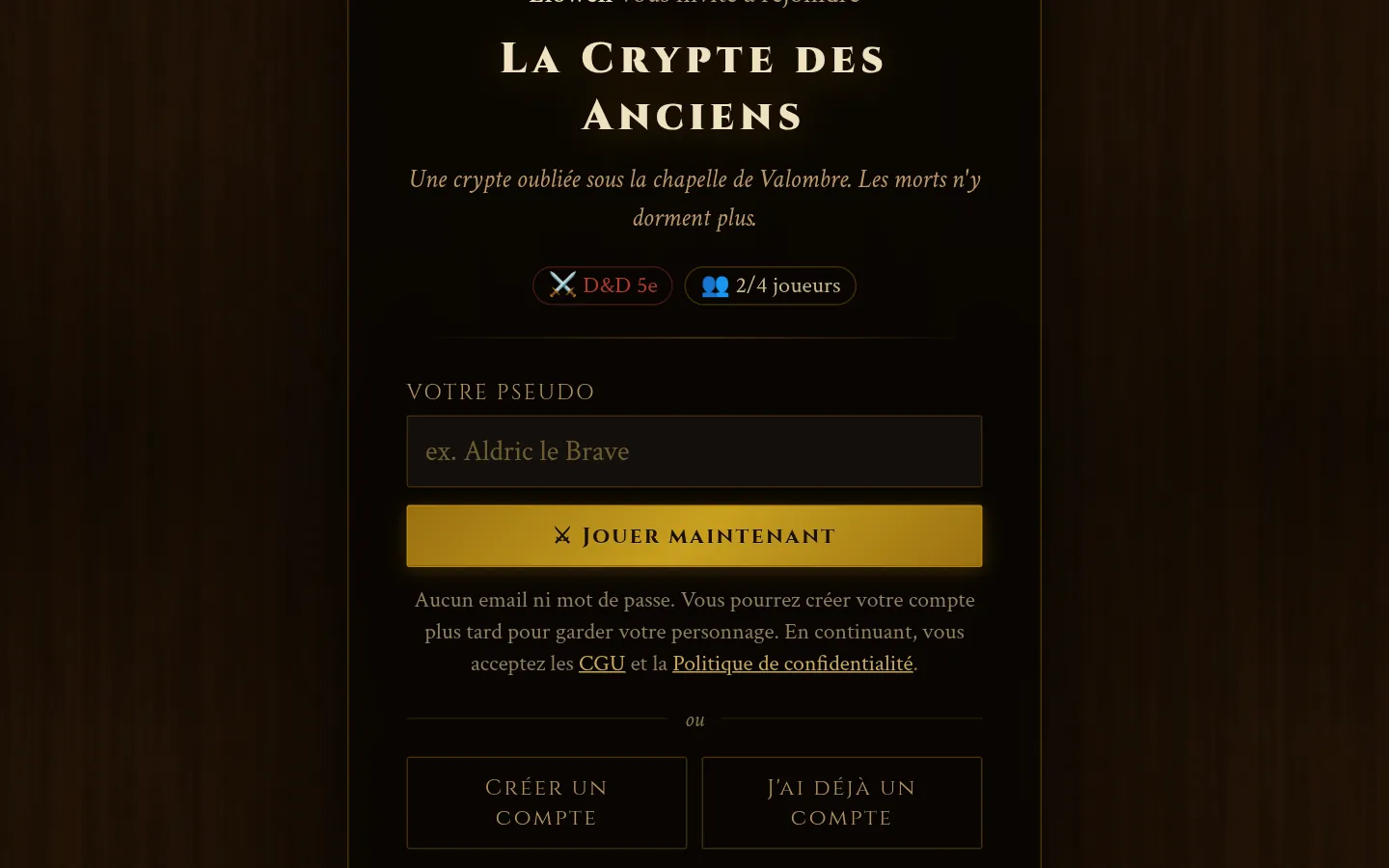
On their end, it's very simple: they open the Mystria home page, enter the code in the "Invitation code" field, choose a nickname and join the table. They don't need to create an account. If they want to keep their character from one session to the next, they can create one later.
4. Run the session
Talk
The Voice button opens the table's voice chat, right in the browser. If your group is used to Discord, nothing stops you from keeping Discord for voice and Mystria for the board.
Roll the dice
The dice window offers d4, d6, d8, d10, d12, d20 and d100, with a quantity and a modifier. The dice roll in 3D on the board, in full view of everyone. As the GM, you can hide a result from players for a secret roll.
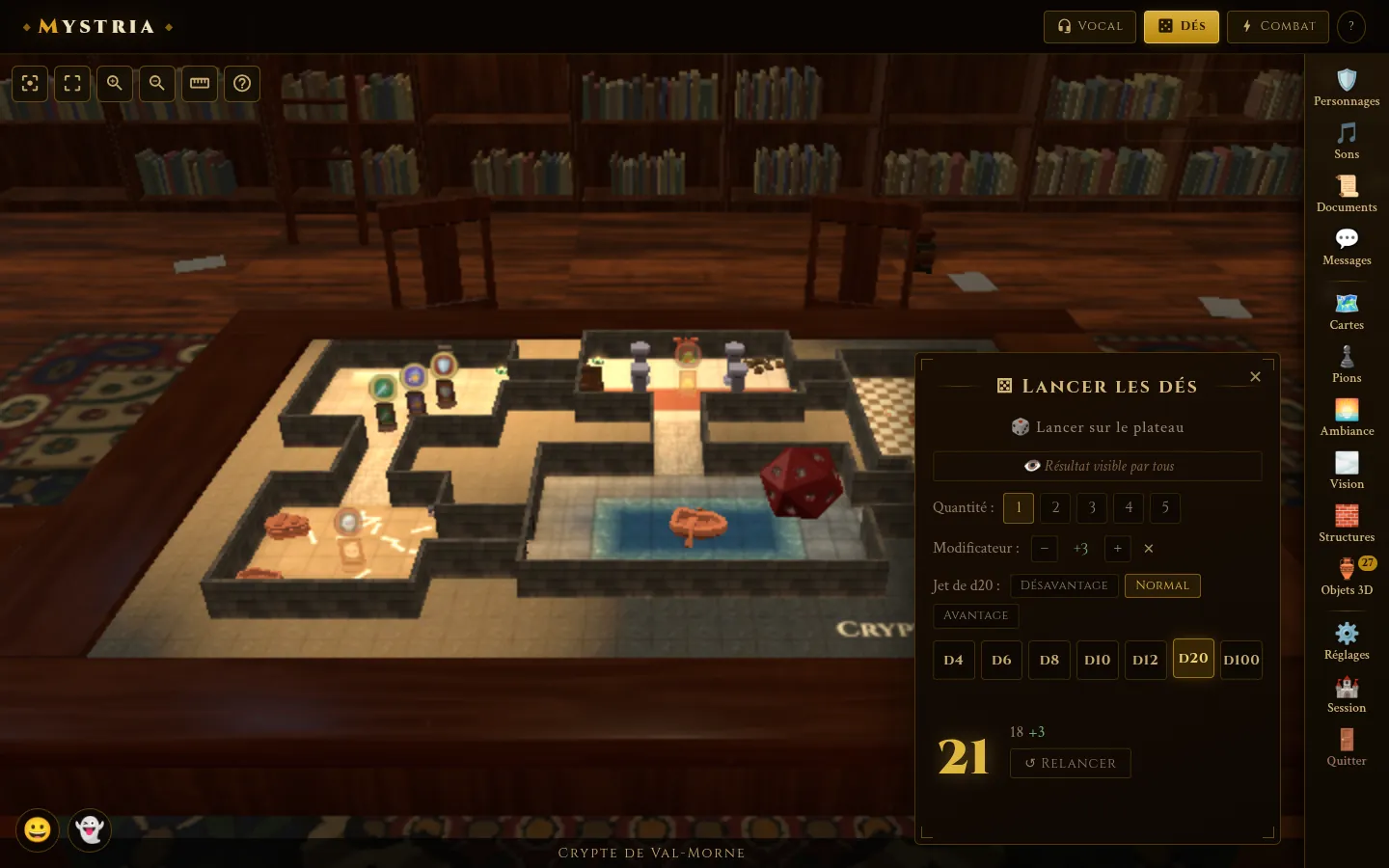
Explore the map
Players move their own tokens. To draw attention to a spot on the map, holding down the right mouse button opens the pings: "Danger", "Treasure", "Look", "Meet here"… You reveal the fog as you go, with the brush or all at once.
Fight
The Combat button starts a turn-based encounter: initiative is rolled, the turn order is displayed, and "Next turn" passes the hand. You can start combat music at the same time.
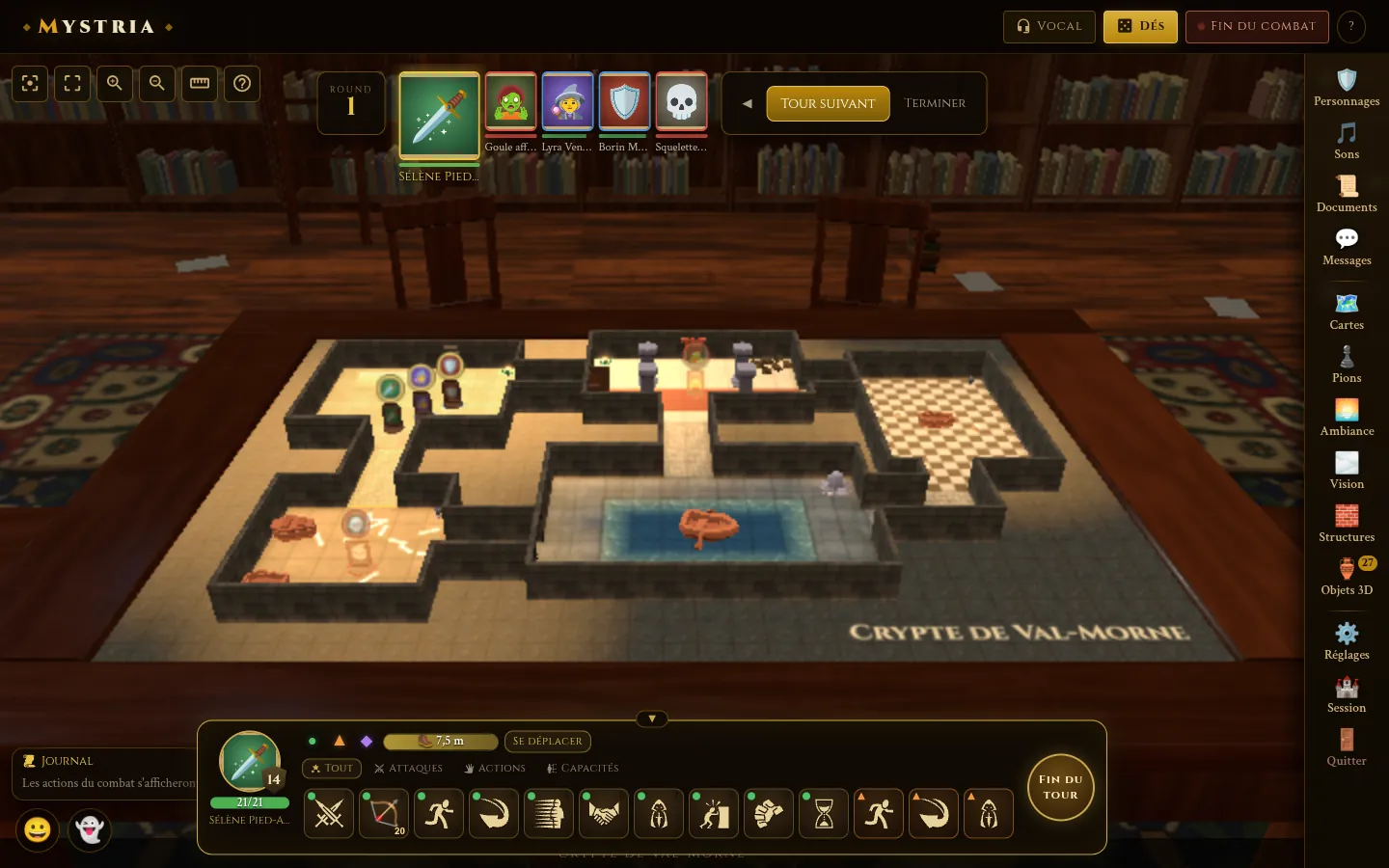
Keep track
Messages let you write to the whole table, make a GM announcement, or send a private message to a single player (a letter they found, a secret, a vision). Everything you've prepared (characters, maps, messages) is saved automatically: you'll pick up the next session right where you left off.
5. Our tips for a successful first session
- Do a ten-minute tech check at the start: everyone can hear each other, moves their token, rolls a d20.
- Prepare less than usual. Remotely, everything takes a little longer.
- Prepare characters in advance if some players are new to roleplaying (see our guide on playing with beginners remotely).
- Plan a break halfway through the session: screens are more tiring than a wooden table.
- End on a high point and set the next date while everyone is still there.
Frequently asked questions
How much does an online game cost?
Nothing for players. For the GM, the Traveler plan is free (two tables, four players per table); paid plans add more tables, players and storage. See pricing.
Can you play on a phone?
Yes, Mystria works in the browser on a phone or tablet. For the GM, a computer is still more comfortable.
What if a player loses their connection?
Reconnection is automatic. They get back to the table, their token and their character sheet exactly as they left them.